
Pass IELTS, JAMB, WAEC, & more with EduPadi CBT App
Practice questions, get instant scores, understand solutions with smart AI insights, and track your progress.
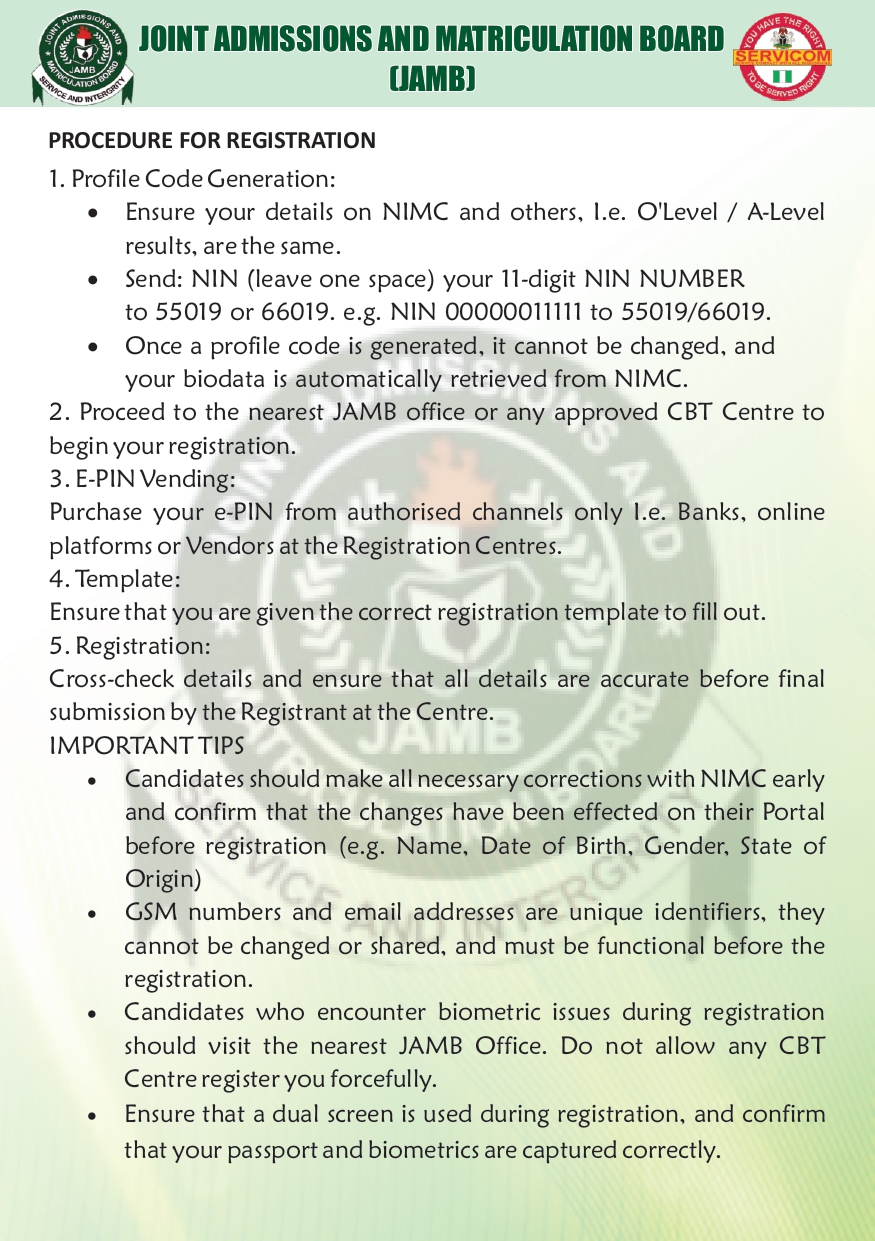
JAMB Releases 2026 UTME Registration Rules: Key Steps to Note
The Joint Admissions and Matriculation Board (JAMB) has published its official guidelines for the 2026 UTME registration. The announcement was shared through its verified X (formerly Twitter) account.
These instructions are important for students preparing for the 2026 UTME, as well as parents and teachers guiding candidates.
Recommended: JAMB CBT App - Prepare for UTME Computer-Based Exam
It’s also worth noting that although JAMB did not announce the registration date in the post, UTME registration typically begins towards the end of January based on rece t past years. Candidates should therefore start preparing early.
Understanding the 2026 UTME Registration Process
Profile Code Generation (First Step)
JAMB emphasizes that this is the foundation of UTME registration — and the profile code cannot be changed once created.
Steps:
- Ensure your NIMC details match your O’level or A’level records.
- Send: NIN (space) your 11-digit NIN to 55019 or 66019.
- Example:
NIN 00000011111
- Example:
- Once successful, your biodata is automatically pulled from NIMC.
If your NIMC details are incorrect, correct them before generating your profile code.
Visit an Approved Registration Centre
After getting your profile code:
- Go to the nearest JAMB office or approved CBT centre.
- Avoid unaccredited centres to prevent errors or fraud.
E-PIN Purchase
Buy your e-PIN only from authorised outlets:
- Banks
- Approved online vendors
- Other official channels listed by JAMB
Ensure You Receive the Correct JAMB Template
JAMB requires that every candidate be given the correct registration template before filling details. This helps candidates prepare accurate information ahead of time.
Final Registration at the CBT Centre
At the centre:
- Review all entered information carefully before submission.
- Make sure your passport photograph and fingerprints are captured correctly.
- JAMB instructs centres to use dual screens, so you can see every detail being entered.
If your biometrics fail, visit the nearest JAMB office — do not let any centre force the process.
Important Notes for Candidates
JAMB highlights the following:
- Correct all NIMC errors early (Name, Date of Birth, Gender, State of Origin).
- Your email address and phone number are unique identifiers — they must be active, personal, and not shared.
- These identifiers cannot be changed after use.
Common Profile Code Problems & How to Fix Them
1. “Record Not Found”
Fix: Go to the nearest NIMC office for validation.
2. “Wrong Parameter”
Triggered when the text format is incorrect.
Fix: Resend using the correct format:NIN 00000011111 to 55019 or 66019.
3. NIN Already Registered With Another GSM Number
This means you previously generated a code with that number.
Fix: Retrieve the SIM and send the request again.
4. “Unable to Verify Your NIN… [NIMC: Unknown]”
Fix: Wait and retry later.
What Candidates Should Do Next
- Check and correct your NIMC details.
- Ensure your phone number and email are active and not shared.
- Follow the step-by-step instructions provided by JAMB.
- Keep an eye on JAMB’s X account for the official registration date:
JAMB Official Post.
Early release of registration guidelines helps candidates avoid last-minute mistakes — especially with common NIN and profile code issues. With registration typically starting late January, now is the best time to verify documents and prepare.